Skip to content
Brevity
ExploreToolsModelsBlogPricing
Log in
Start creating
Models/Seedance 1.5 Pro

ByteDance · Seedance

Seedance 1.5 Pro

Direct vivid text-to-video and image-to-video scenes with flexible timing, then shape them into a complete video in Brevity.

Create with Seedance 1.5 Pro

Generator setup

Create with Seedance 1.5 Pro

Input

One clear visual beat works best.120/2000

Studio composes model-valid scenes to reach this target.

No credits are used until you review and generate in the Studio.

Model showcase

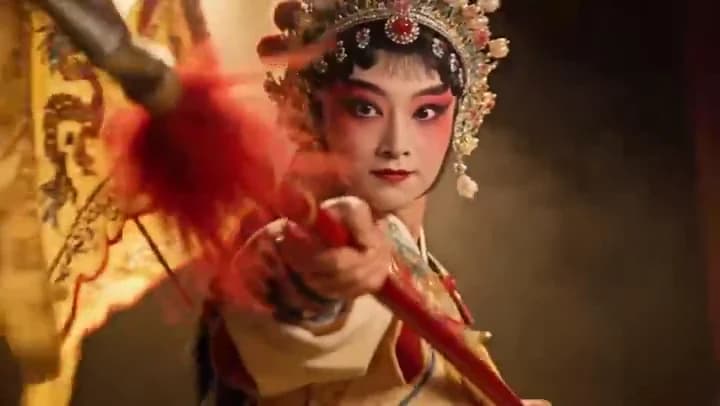
A richly costumed opera performer in motion

Scene output
720p
Scene length
4–12 seconds
Formats
Vertical, square, landscape
Inputs
Text or image

A closer look

Motion, frame by frame.

Selected frames from the Seedance 1.5 Pro showcase reveal the movement, texture, and composition inside one scene.
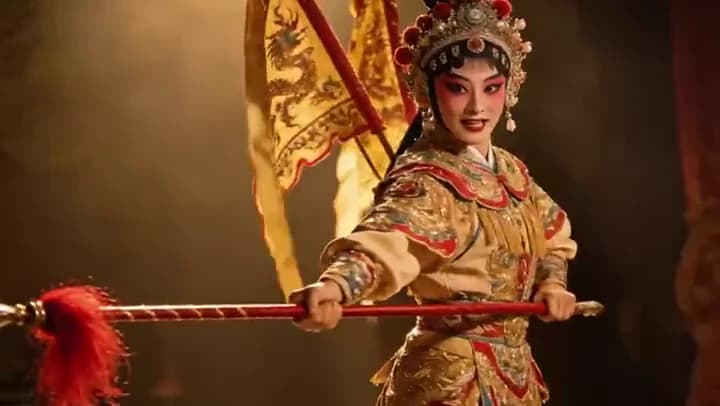
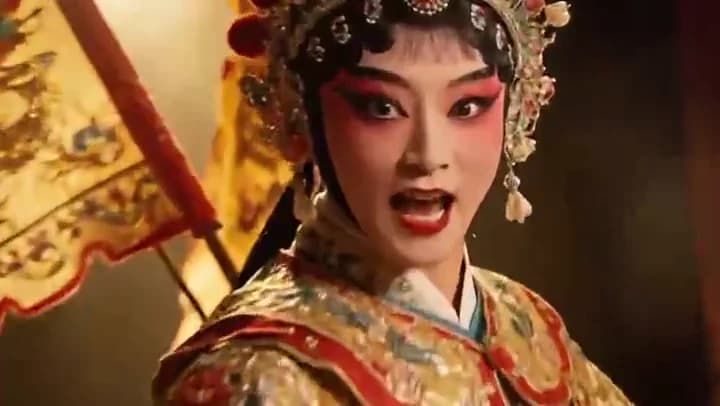
Opera performer entering a warm theatrical frame
Close view of an expressive opera performer
Embroidered costume moving across a lit stage

Key features

What Seedance 1.5 Pro brings to the cut.

01

Start from words or a frame

Explore from a written direction or anchor the first look with a reference image.

02

Flexible scene timing

Choose any whole-second clip length from four to twelve seconds.

03

Direct the ending

End-frame support helps you plan more deliberate transitions between shots.

04

Three useful canvases

Move between vertical, square, and landscape formats without changing models.

How to use Seedance 1.5 Pro

From direction to a reviewable cut.

  1. 01

    Describe one visual beat

    Name the subject, action, setting, camera move, and light in one compact direction.

  2. 02

    Choose the production frame

    Set text or image input, the output ratio, and a target length for the finished video.

  3. 03

    Review it in the Studio

    Continue with your choices attached, then confirm the complete edit before spending credits.

Direction notes

Three ways to get a stronger first pass.

  1. 01

    Lead with one clear action before adding atmosphere.

  2. 02

    Use an image start when wardrobe or subject identity matters most.

  3. 03

    Reserve the final seconds for the motion you want the shot to land on.

FAQs

Before you create.

Yes. Choose Image to video here, then attach the actual reference in the Studio after the handoff.

Ready when you are

Put Seedance 1.5 Pro into motion.

Prepare the direction here, then keep control of the brief, media, cost, and final generation inside the Studio.

Create with Seedance 1.5 Pro
Brevity

Make the video you have in mind.

Start creating

Product

  • Explore videos
  • AI video tools
  • AI video models
  • AI video field guide
  • Pricing
  • Open studio

Popular tools

  • Text to video
  • Image to video
  • Music video generator
  • Product video generator
  • Browse every tool

Company & legal

  • About Brevity
  • Contact
  • Affiliates
  • Privacy policy
  • Terms of service
© 2026 Brevity AIPrivacy policyTerms
Billing by Stripe Managed Payments · EU VAT handled